Quantower Review (2026): Costs, Order Flow & Futures Setup
Quantower is a Windows trading platform with a limited free version, separately priced order-flow tools and a $70 monthly All-in-One licence. That licence does not include third-party market data. For futures and prop traders, the buying decision starts with your account connection and data permissions—not the largest feature bundle.
A sensible shortlist option for Windows-based futures traders who want footprint, volume-profile and DOM tools in one platform. Start by checking what your broker or prop account already includes. Paying for All-in-One does not establish account compatibility, buy market data or prove execution reliability.
Review method and affiliate disclosure: This is a source-led review, not hands-on trading or execution testing. We read public official documentation and community feedback on October 1, 2026. FundingCodes is an approved Quantower referral partner and may earn a commission if you purchase through our links. Quantower has issued us no buyer coupon. See our editorial policy; the affiliate disclosure also appears in the footer.
Who is Quantower for?
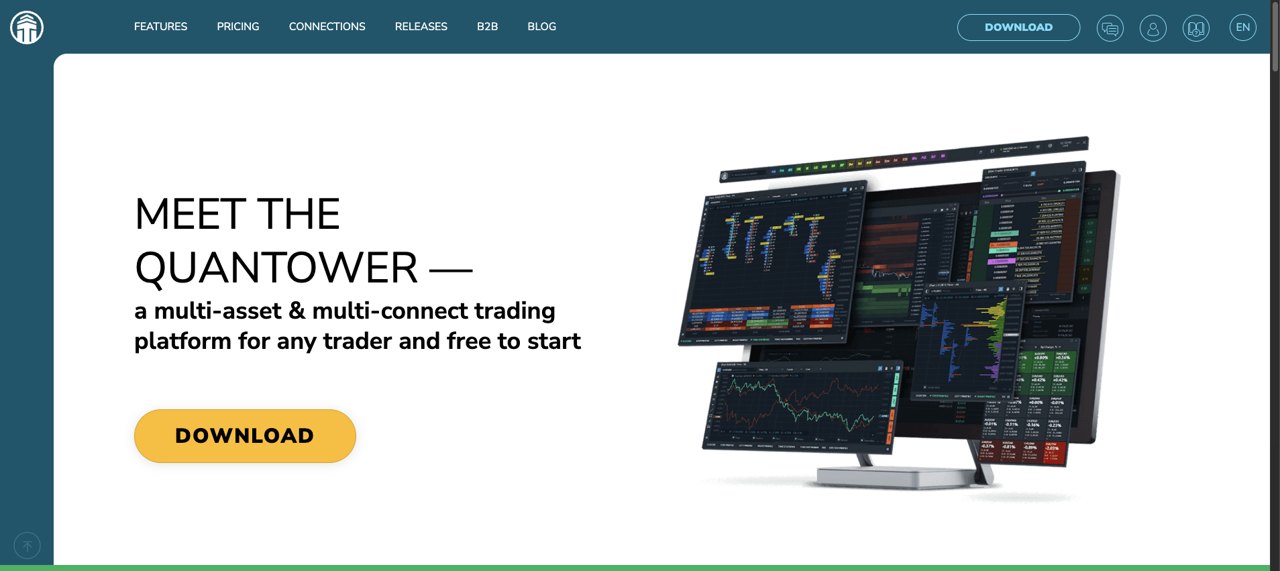
Quantower brings charting, order entry and market analysis into a desktop workspace. Its official site lists futures alongside other asset classes and lets users group panels and connect different providers. For this review, the relevant use case is futures analysis and account access—not a promise that one platform works with every prop firm.
The strongest fit is a trader who can name the tools they need: footprint charts, volume profiles, a depth-of-market view or multiple supported connections. If you only need candles and basic order entry, the free version or an account-supplied bundle may be enough. If a native Mac or browser workflow is essential, the Windows download is a material limitation. Our TradingView review covers a different charting option; our Bookmap review focuses on market-depth visualisation and its separate data costs.
What does Quantower actually cost for futures?
If your buying question is about automated strategies rather than the trading front end, our QuantVue review separates ATS purchase costs, recurring charges and prop-firm permission checks.
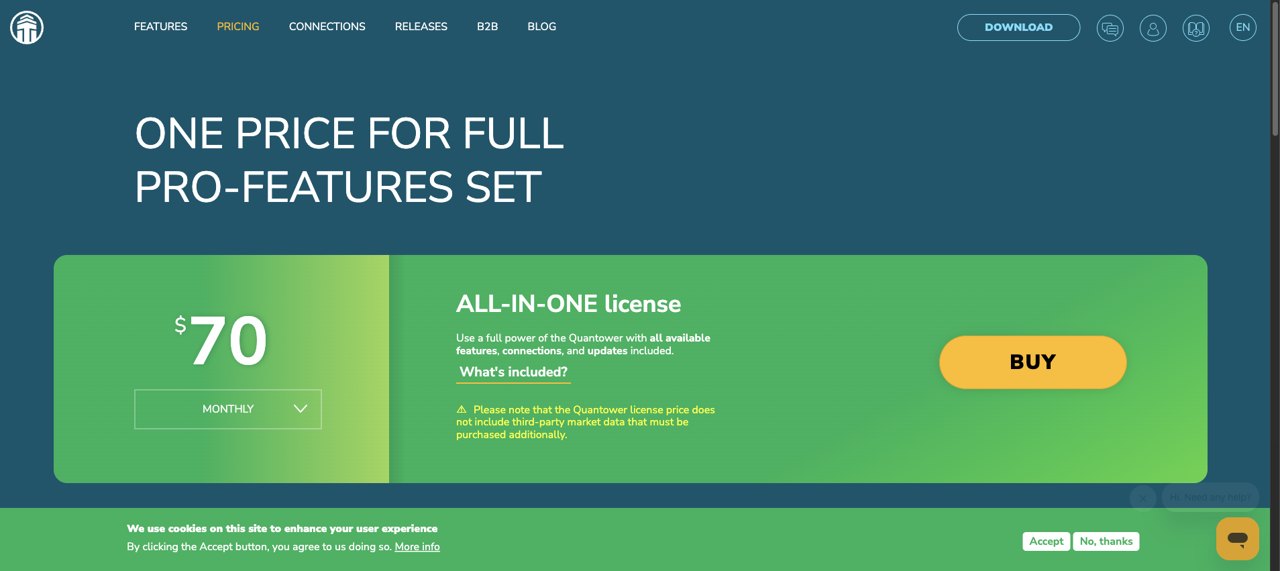
Quantower’s pricing page displayed the following one-month software prices on October 1, 2026. These are vendor-published prices, not checkout-tested totals. Market data is explicitly excluded from every licence. Longer terms are available; do not confuse the displayed monthly selection with an annual commitment or assume a referral reduces the price.
| Licence or extension | One month | Buyer distinction |
|---|---|---|
| Free | $0 software | One connection; basic charting, chart trading, DOM Trader and Time & Sales. |
| Volume Analysis | $35 | Footprint/cluster charts, volume profiles and related volume tools added to the free version. |
| Advanced features | $30 | Advanced charts, unlimited overlays/indicators and simultaneous connections. |
| Multi-Asset | $50 | Volume Analysis plus Advanced features; not the same as All-in-One. |
| DOM Surface | $30 | Order-book liquidity heatmap extension. |
| TPO Profile Chart | $20 | Time-at-price profile extension. |
| Power Trades | $25 | Identifies concentrated executions over short intervals. |
| All-in-One | $70 | Quantower’s full feature bundle; still excludes third-party market data. |
The cost stack to check before paying
| Layer | What to establish |
|---|---|
| Software | Free, a specific extension, Multi-Asset, All-in-One or a broker-supplied bundle? |
| Exchange data | Which exchanges and symbols? Real-time or delayed? Top-of-book or depth? What historical data is supplied? |
| Connection | Does the provider charge an API, routing or additional-session fee? Are permissions already enabled? |
| Account | Broker trading costs or prop eval/activation fees remain separate. Software does not waive firm rules. |
We cannot give a universal total without your provider’s quote and account classification. A feature that needs depth data is not made useful simply by buying its licence. Ask the provider to confirm the required feed, exchange entitlements and total charges before subscribing.
The pricing page advertises a seven-day full-feature trial assigned after registering a Quantower account. Its refund FAQ restricts refunds to initial orders requested within ten calendar days and excludes lifetime licences. It also says purchases are not prolonged automatically. Verify the current terms before paying; we did not register, purchase or test a refund.
Free vs paid: which order-flow tools do you get?
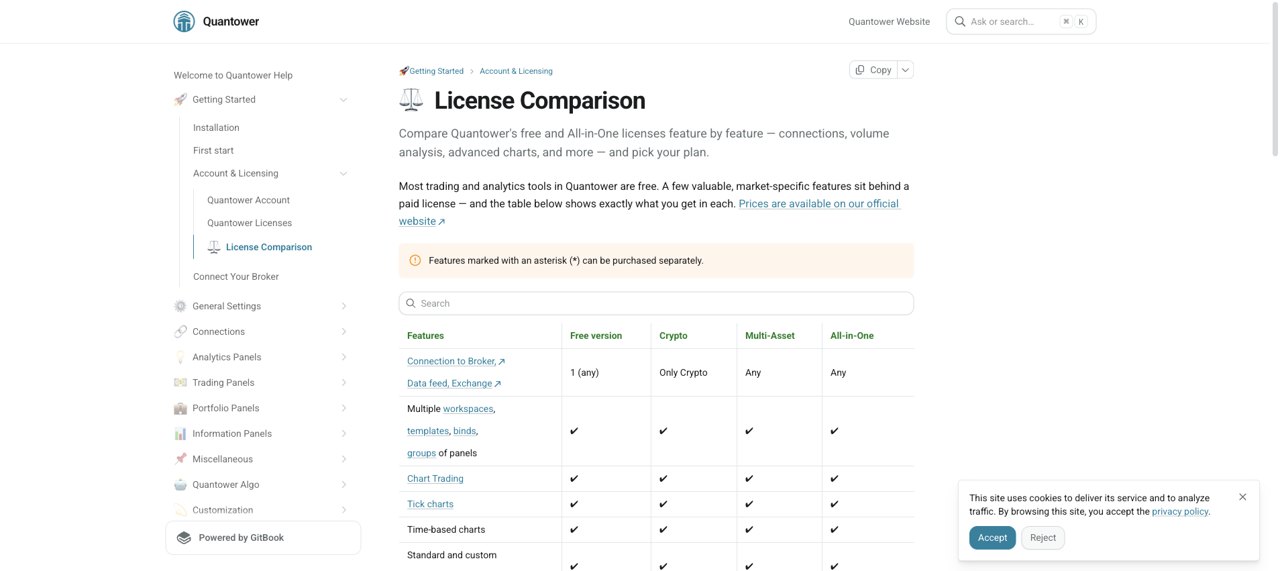
The official licence comparison is more useful than a generic feature list. The standard free version includes DOM Trader and Time & Sales, but limits you to one connection, two indicators per chart and one chart overlay. It does not include the standard Volume Analysis package.
- Footprint/cluster charts, volume profiles and VWAP: shown in Volume Analysis, included in Multi-Asset and All-in-One. These examine traded volume rather than merely plotting price.
- TPO Chart: a time-at-price profile; separately purchasable and included in All-in-One, not standard Multi-Asset.
- DOM Surface: the liquidity heatmap extension. Do not confuse it with the free DOM Trader panel.
- Power Trades: a separately purchasable execution-analysis extension, also included in All-in-One.
- Multiple connections: require the relevant paid functionality in the standard licence table. A specific broker bundle can have different restrictions.
Choose a package from the tools and feed you actually intend to use. More visualisation does not demonstrate a trading edge, improve fills by itself or establish that your prop firm permits a strategy.
Futures connections and broker bundles
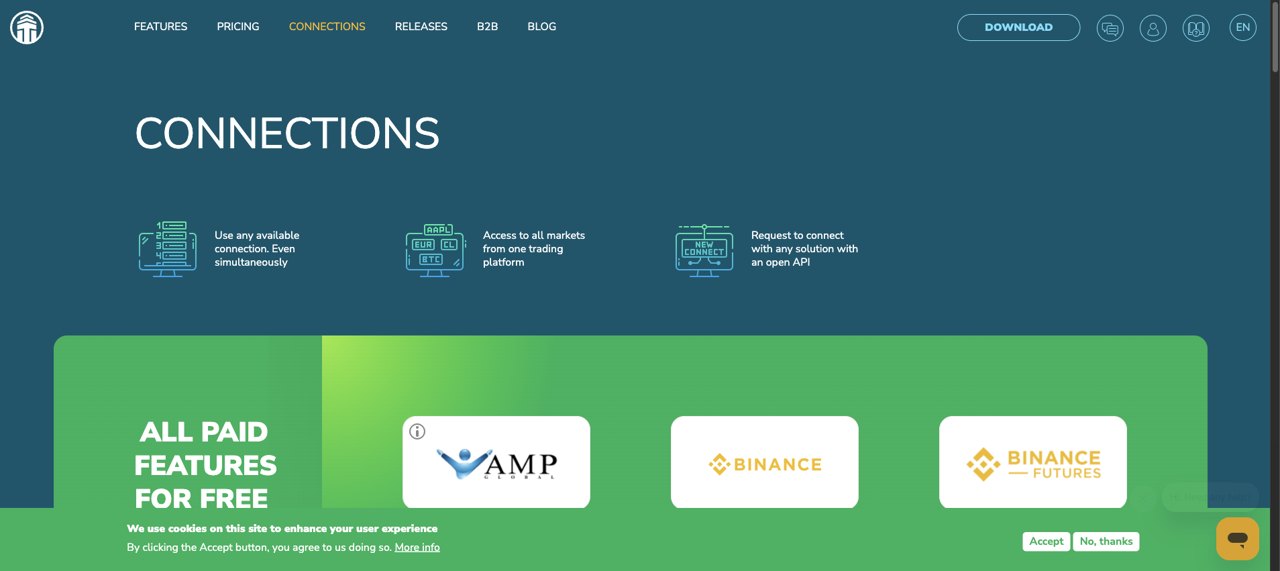
Quantower is the front end, not a substitute for a broker, exchange-data subscription or prop account. Its connection documentation includes CQG (AMP Futures), Rithmic and ProjectX. Availability in that directory does not establish that an arbitrary account can connect.
The public connections directory also highlights connections with paid features supplied free. For example, AMP advertises its free full version. That is a provider-specific software offer, not a FundingCodes coupon or evidence that exchange data, commissions and other account costs disappear. Check what is included before buying a separate Quantower licence.
Rithmic setup: credentials and server matter
Quantower’s Rithmic guide tells users to select the correct server and use the account’s Rithmic credentials. Its R|Trader Pro plugin route requires R|Trader Pro to be running, plugin mode enabled in both applications and matching credentials/server settings. This is documentation, not a connection we tested.
Do not copy a demo-server default into a prop-account setup without checking the firm’s instructions. Similarly, do not assume plugin mode eliminates every possible fee: ask the account provider which session, exchange and API charges apply to your specific setup.
Can you use Quantower with a futures prop firm?
Only if the exact account and connection are supported. A firm using Rithmic somewhere in its business does not establish that all its current account types permit Quantower. We have not connected a prop account or confirmed new-account eligibility with a firm for this review.
Documentation can also outlive an account offering. Quantower still publishes a Topstep connection guide, marked last updated one year ago when read. It describes a specific bundle with limits, including two indicators per chart and separate requirements for some features. We do not treat that older guide as proof that a new Topstep account can use Quantower today; current new-account eligibility is not confirmed here.
- Ask the firm whether your exact eval or funded-account type supports Quantower now, and which connection/server it uses.
- Confirm whether a platform bundle is included and whether footprint, DOM Surface, replay or other intended tools need an extra licence.
- Confirm data depth, exchange coverage and any connection fee separately.
- Read the firm’s own rules on copying, automation and permitted trading hours. A platform feature does not grant permission.
- Use a provider-approved demo or simulator to check the setup before risking money; it will not validate live execution performance.
Windows and setup limitations
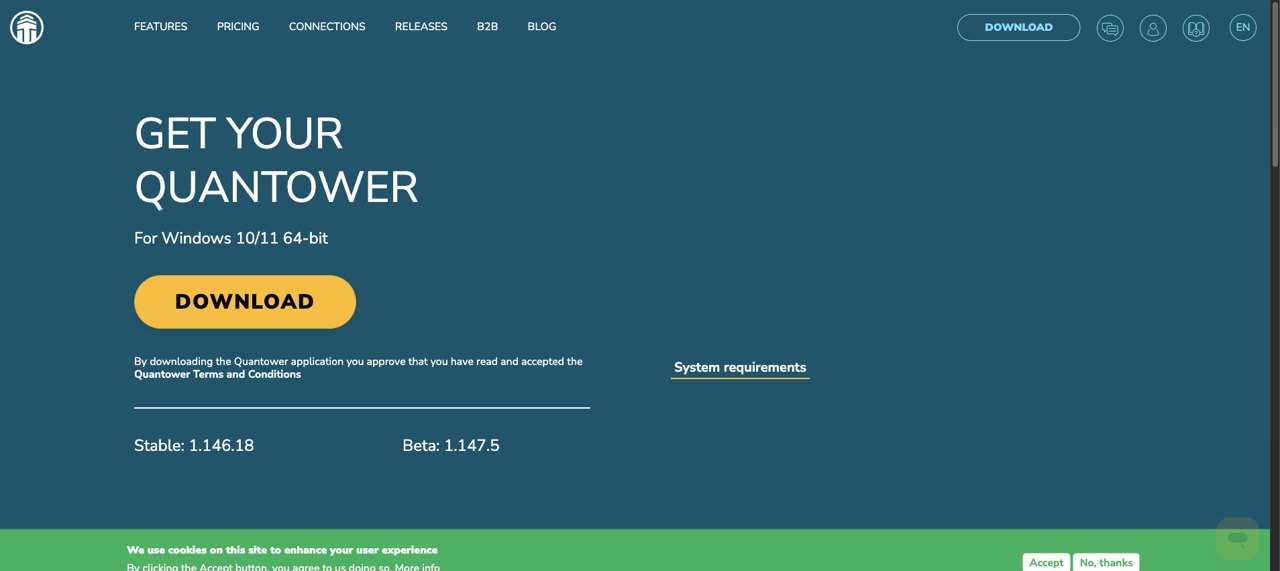
The download page specifies Windows 10/11 64-bit. We have not tested macOS virtualisation, a VPS, latency, order handling or minimum-hardware performance. If you do not already have a suitable Windows environment, establish that requirement and any extra cost first.
What do user reviews say?
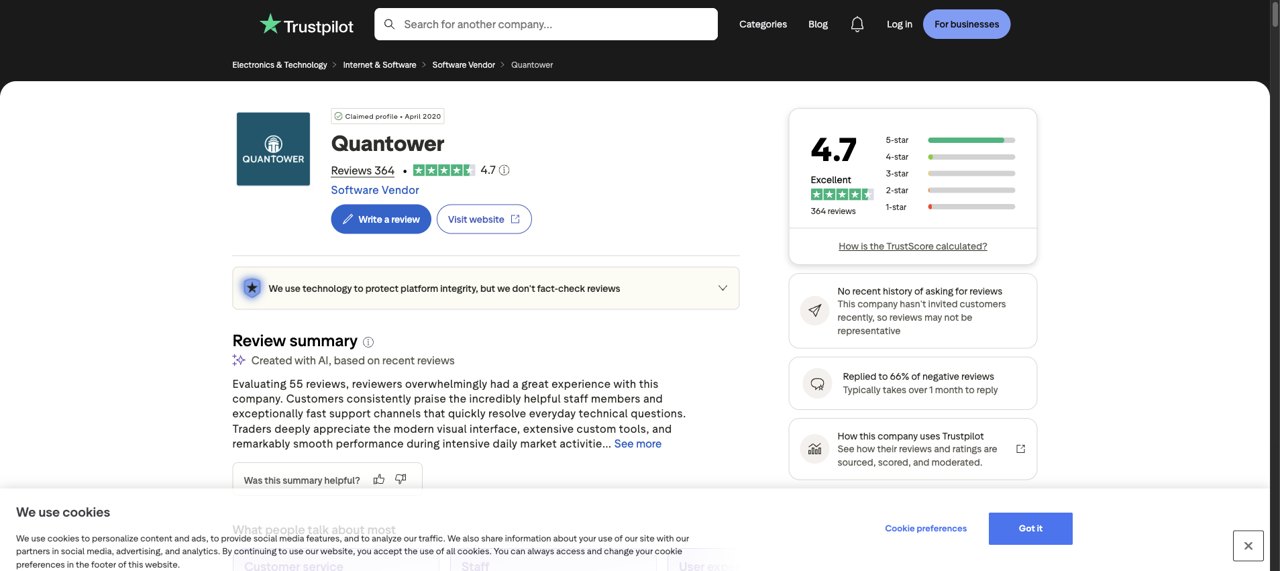
Quantower’s Trustpilot profile showed 4.7/5 from 364 reviews on October 1, 2026. This is a dated third-party snapshot, not our rating or an independently verified reliability measure. Trustpilot says reviews are the opinions of individual users and warns that reviews may not be representative.
Feedback is not uniformly positive. Buzzy Schwartz’s September 25, 2026 review praised support for helping set up a new connection. In contrast, Mehdi’s review displayed July 15, 2026 alleged an Alpaca startup crash loop and missing Tradier extended-hours order routing; it lists April 28 as the experience date. Quantower’s July 15 reply acknowledged the integration work and targeted an Alpaca fix within two to three weeks. We have not confirmed whether that fix shipped or resolved the complaint. These were equities/options integration complaints, not proof of a current futures-connection defect.
An older r/algotrading discussion, displayed as three years old, contains complaints about replay/backtesting and connection stability. We read it on October 1, 2026; those anonymous historical reports are prompts for your own checks, not evidence that a particular bug persists in the current release. We do not use Reddit to establish current prices or compatibility.
Pros, cons and our buying conclusion
| Documented strengths | Important tradeoffs |
|---|---|
| Free core platform and separately purchasable extensions. | The free version has connection, indicator and overlay limits. |
| Footprint, profiles and depth tools within one product family. | Not every paid package includes every order-flow tool; data is extra. |
| Multiple provider integrations and some broker-supplied bundles. | Exact account permissions, fees and bundle restrictions still govern access. |
| A published trial lets prospective buyers evaluate the software. | Windows requirement; lifetime licences are excluded from the published refund policy. Reliability was not tested here. |
Our conclusion: shortlist Quantower if its documented futures tools fit your workflow and your provider confirms the connection. Start with the included/free functionality or a trial rather than paying twice for a bundle your account already supplies. Multi-Asset deserves a look for footprint and profiles; All-in-One becomes relevant when you also need its additional tools. For basic charting alone, buying the full suite is not an obvious requirement.
Visit Quantower through our referral link
This is a referral, not a discount. Confirm the current price, bundle and account permissions before purchase.
Quantower FAQ
Is Quantower free?
Quantower has a limited free version with one connection, chart trading, DOM Trader and Time & Sales. The standard free licence allows two indicators per chart and one overlay. Broker-specific bundles can differ. Paid features and market data are separate questions.
Does Quantower include futures market data?
No. Quantower states that third-party market data is not included in any software licence. Confirm exchange coverage, depth, history and any connection or professional-data fees with your broker or account provider.
How much is Quantower All-in-One?
Quantower displayed $70 for one month of All-in-One on October 1, 2026. It also offers longer terms and individual extensions. This is a published software price, not a checkout-tested total or an all-inclusive futures trading cost.
Which Quantower order-flow tools require a paid licence?
The standard licence table puts footprint charts, volume profiles and VWAP in Volume Analysis, included in Multi-Asset and All-in-One. TPO Chart, DOM Surface and Power Trades are separate extensions included in All-in-One but not the standard Multi-Asset package. Connection-specific bundles may differ.
Does Quantower work with every futures prop firm?
No blanket compatibility claim is justified. Quantower documents connections such as Rithmic, but your exact firm, account, server, permissions and data subscription determine whether you can use them. A connection guide or logo is not confirmation that a new prop account is eligible.
Sources and review method
Official pages and community records linked in the relevant sections were read on October 1, 2026. The six screenshots are public website captures, not private account screens or simulated proof of use. Product facts come from Quantower’s pricing, licence comparison, download and connection documentation; AMP’s page establishes only its own advertised software bundle. Review anecdotes are attributed and may be outdated. We did not test checkout, a brokerage or prop login, trade execution, profitability, support response times or software stability.
Quantower is a tool, not a prop firm, and buying it does not buy a funded account. No platform guarantees a pass, payout or profit. Futures trading and prop evaluations involve substantial risk. This review is general information, not financial advice.